 FlipVideo
The problem it solves
You shoot a clip on your phone, send it to your computer, and it plays on its side. Or it looks fine on your phone and sideways in your editing program. Or someone sends you a video that was recorded upside down.
Here's what's going on. A video file can carry a small note that says display me turned 90 degrees. Phones use it all the time. Most players read the note. Some don't, and that's when you get the sideways video.
Why I built this
I had a little Windows script of my own that rotated videos with ffmpeg. It worked, but only on my machine. This is the browser version: no install, and it adds things the script never had, like a before and after preview and a whole-folder batch.
How it works
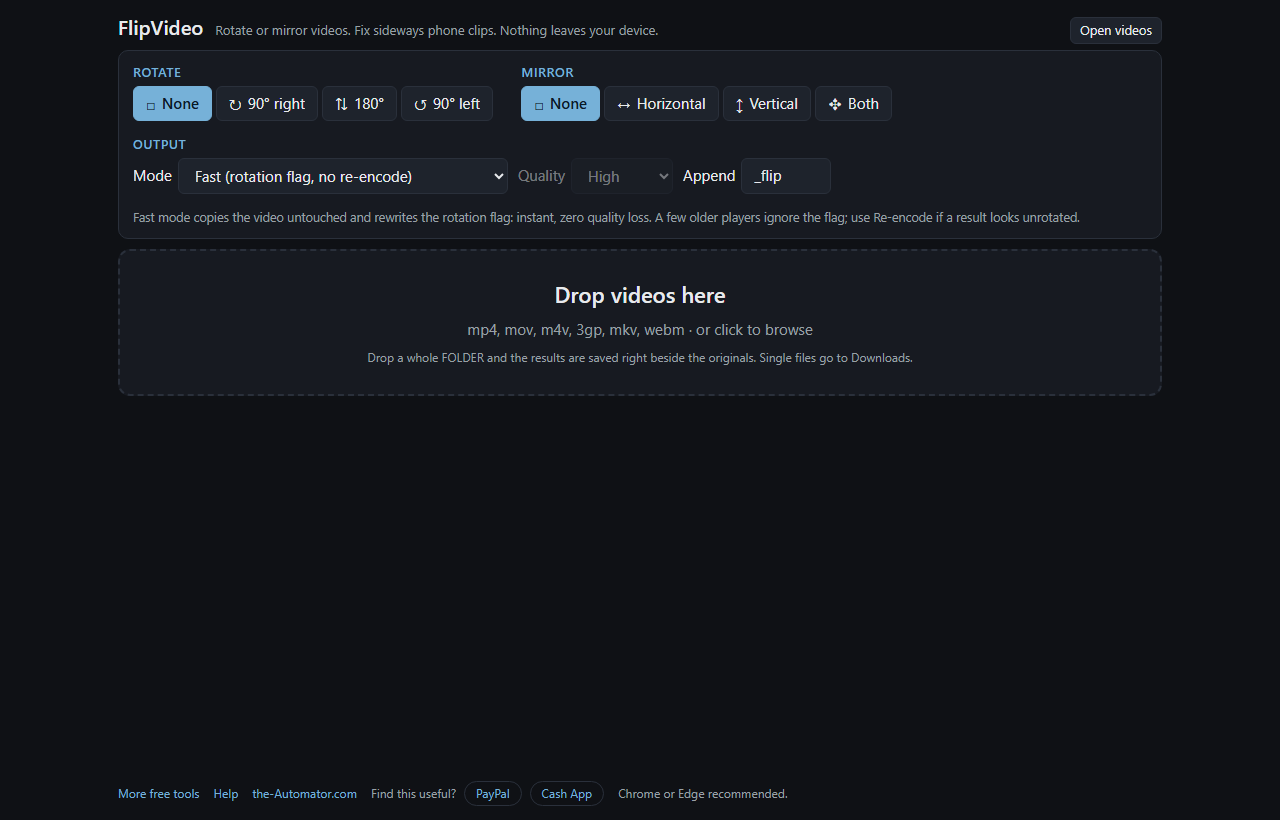
- Drop your videos. Drag them onto the page, or click Open videos. A whole folder works too.
- Pick a rotation and a mirror. The result preview on each file updates as you click, so you can see which way it will turn.
- Pick a mode. Fast or Re-encode (see below). Choose a quality if you're re-encoding.
- Click Flip videos. Files from a dropped folder are saved beside the originals. Single files go to your Downloads. A suffix like _flip is added to the name so the original is never overwritten.
Fast or Re-encode?
Fast only rewrites that rotation note. The picture and sound are copied untouched, so you lose zero quality, and since it doesn't have to process the picture, file size barely matters.
Re-encode physically turns every frame and clears the note. It takes longer and re-compresses the video, but the result is upright everywhere, including old players and editing programs that ignore the note.
Rule of thumb: rotating for yourself or a modern player, use Fast. Fixing a phone clip that shows up sideways in some program, use Re-encode. Mirroring always re-encodes, because there is no note for that.
Why I ask for your email
Your videos never leave your device. Everything happens inside your browser, so nothing is uploaded and nothing is stored on a server. The email is how I keep these tools free and know real people are using them.
I might send you a note now and then about other free tools I build. I will never sell or give your email to anyone else.
Questions people ask
Is it really free?
Yes. There's no charge for the tool or per video. You sign up once per browser and that's it.
Which file types work?
mp4, mov, m4v, 3gp, mkv and webm go in. An MP4 always comes out. Videos that aren't H.264 or H.265 (for example VP9 in a webm) are re-encoded even in Fast mode.
Does it change the audio?
No. AAC and Opus sound is copied as is. Other audio formats are converted to AAC.
The result still looks sideways in my player. Why?
That player ignores the rotation note. Run the file again with Re-encode, which bakes the turn into the pixels.
Which browser should I use?
Chrome or Edge. Re-encoding uses a browser feature those support best. Fast mode works in most browsers.
Does it work on a phone?
Yes. Fast mode is quick on a phone. Re-encoding is slower there, and very large files may strain a phone's memory.